Lab Entry: a lab notebook and day planner in the browser
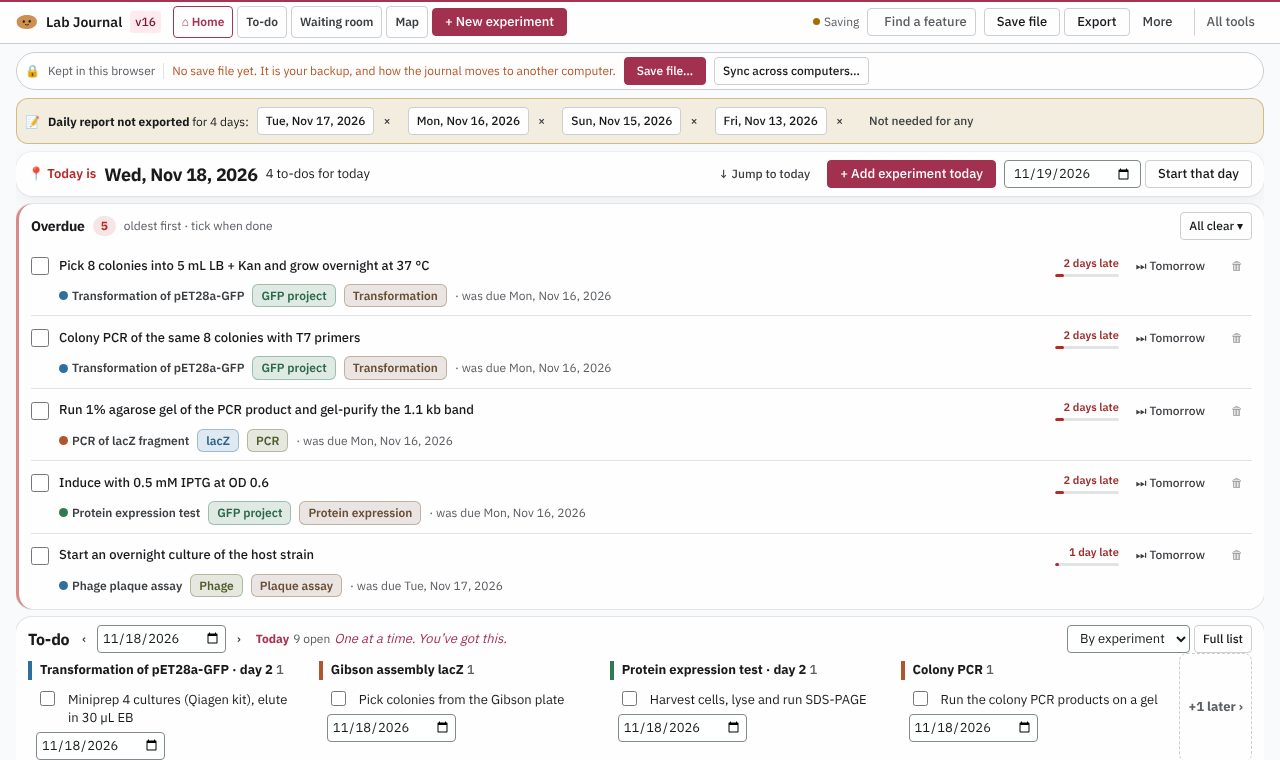
A lab notebook that lays out your experiments as tiles on a timeline, linked by their to-dos. Free, and your notebook stays on your computer.
Open Lab Entry
Version 16, updated 11 November 2026. No install, no account.
✨ What it does
- A timeline by day, by project or as a dateless flow
- A research map: each experiment ringed by the papers and notes behind it
- Autofill of your strains and plasmids everywhere you write
- A to-do list, and a day report for each day
- A waiting room for results sent from Gel Labeler, Colony Counter and Protein Quant
🪜 How to use it
- Open Lab Entry and press “Try an example week”, or “+ New experiment” to start your own
- Put experiments on their days and join them with “Lines & to-dos”
- Open the Map to see each experiment with the papers and notes behind it
- Press “Save file” to keep the whole notebook as a file you own
❓ Common questions
Is Lab Entry free?
Yes. Every Lab Potato tool is free, with no account and no trial period.
Where is my notebook kept?
In this browser on your computer, and in a save file whenever you press “Save file”. Nothing is sent to Lab Potato.
Can I use it on two computers?
Yes, without an account. Keep the save file in a folder that your cloud storage app already syncs, and open that same file on the other computer. Lab Entry writes to it a few seconds after each change and picks up the other computer’s work.
Can the other tools send results to it?
Yes. Gel Labeler, Colony Counter and Protein Quant can send their results to Lab Entry’s waiting room in the same browser, ready to place on an experiment.
🧰 More free tools for the wet lab
- Colony CounterPlate counts & CFU/mL
- Gel LabelerGel & blot figures
- Gibson AssemblyGibson primer design
- Microscopy Image LabelerMicroscopy figures
- Protein QuantA280 & protein yield
- Cryobox LabelerFreezer box inventory
- Doc ReaderRead & mark up papers
- Sequence StudioPlasmid maps & primers